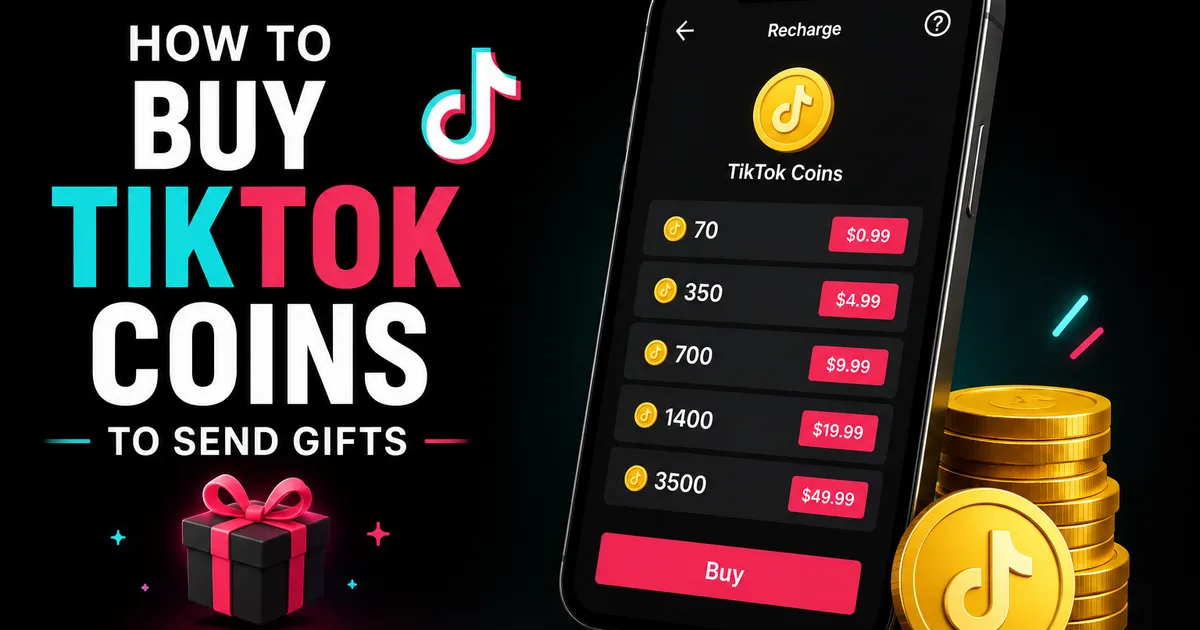
Coins are TikTok's in-app currency. You pay real money for them, then spend them on the virtual gifts that show up when a creator is streaming live. When you want to back a creator you enjoy, or make yourself noticed in a fast-moving live chat, this is the mechanism behind it. Most people load up through TikTok directly, but a reputable top-up service can also credit your balance for a little under what the app charges.
Below, you will find the safe way to buy Coins from within the app, how to turn them into gifts, and a handful of pointers for getting more out of each purchase. Bundle sizes and pricing shift over time and differ from one region to the next, so treat any figures as ballpark and check the live pricing on the purchase screen before you commit.
Want to avoid the app-store premium? Social WOW can supply TikTok Coins as well, crediting them straight to your balance — all we ever need is your public username or User ID, and never your password.
What Coins are — and what they can't do
Think of Coins as a prepaid pot attached to your TikTok account. Money goes in as Coins, and those Coins come back out as virtual gifts that surface in a creator's live broadcast or, in some places, under their videos. On the receiving end, creators can turn the gifts they collect into Diamonds and eventually cash them out, all governed by TikTok's own rules and fees.
Just as important is what they are not. Coins will not buy you followers, views, or reach of any kind, and handing out gifts does nothing for your own account. Their only purpose is to support creators and join in with them. Because a balance is usually non-refundable once you buy it, purchase only what you genuinely mean to use.
A safe walkthrough for buying Coins
Your safest option is the official TikTok app itself, paid for with whatever method you have linked to your app store or account. Keeping the whole transaction inside TikTok's system sidesteps the fraud that plagues outside "cheap coin" sellers — the sort that can hijack your account or simply pocket your payment and disappear.
The wording on the menus varies by app version and location, yet the sequence stays the same. In general, the route looks like this.
- Launch TikTok, head to your Profile, and open the menu (the three lines)
- Locate "Balance" or "Wallet" under Settings, then choose "Recharge" or "Get Coins"
- Pick a bundle — the bigger ones tend to shave a little off the price per Coin
- Approve the payment via your linked app store or chosen method
- Watch your balance refresh in the wallet, set to be spent on gifts
Turning your Coins into gifts
With Coins in hand, gifting takes only a moment. Drop into a creator's LIVE, tap the gift icon along the bottom toolbar, and browse the options — each one lists what it costs in Coins. A single tap sends it, and the gift plays out on screen where the creator and everyone watching can see it. Pricier gifts trigger larger animations, which is a big part of why people reach for them when they want their support noticed.
In certain regions, and for creators who qualify, you can also gift on ordinary videos, though the bulk of gifting still happens during LIVE. When no gift button appears, either the creator has not switched it on or the feature has not reached your area.
Spending less and keeping your account safe
A couple of simple habits stretch your Coins and protect your account at the same time. Weighing the cost per Coin from one bundle to the next adds up over the long run, since the larger packs usually work out marginally cheaper. And where TikTok offers a web version, buying there can occasionally dodge the surcharges the app stores tack on, though that depends on your region.
Above all, keep your buying inside TikTok. Sellers and sites promising "discount coins" are a well-known trap, and typing your login into anything other than the official app leaves your account exposed. Decide on a budget before you begin, and treat gifting as a gesture of support rather than money you expect to see again.
- Weigh the price per Coin across bundles before you settle on one
- Look at the web version, where it exists, for potentially cheaper rates
- Stick to official TikTok — steer clear of outside coin sellers
- Agree on a spending limit; most purchases cannot be refunded
- Never hand your password to anyone claiming to "top up" Coins
Why gifting won't grow your account
People mix up in-app currency with growth tools often enough that it bears saying plainly: Coins and gifts back creators, and they leave your own follower count, views, and reach untouched. If what you actually want is to build your own presence rather than boost someone else's, gifting won't get you there.
That kind of growth comes from posting consistently and, when you want an early edge on social proof, engagement from genuine accounts. Social WOW provides TikTok followers from real, active profiles and needs nothing more than your public username — no password, and a refill guarantee behind it. It has nothing to do with Coins; the aim is the credibility of your own profile, not gifting anyone else.