Few touches make a gathering feel as memorable and worth sharing as a filter built just for it. Picture guests opening Snapchat at your wedding, birthday, conference, or shop launch: an overlay made for that occasion sits over their snaps, and everyone who uses it carries the moment out to their own followers. Call it half memento, half quiet word-of-mouth — and it stays within reach for individuals and small teams, not only big budgets.
Below, you will find the full path to building an event filter in 2026 — drawing the artwork, sending it in, fencing off the venue, setting the hours it runs, and clearing review. Because Snapchat updates its features and prices on its own schedule, this guide sticks to the steps that hold steady and sends you to Snapchat's own tools whenever you need today's exact details.
How an On-Demand Filter Works
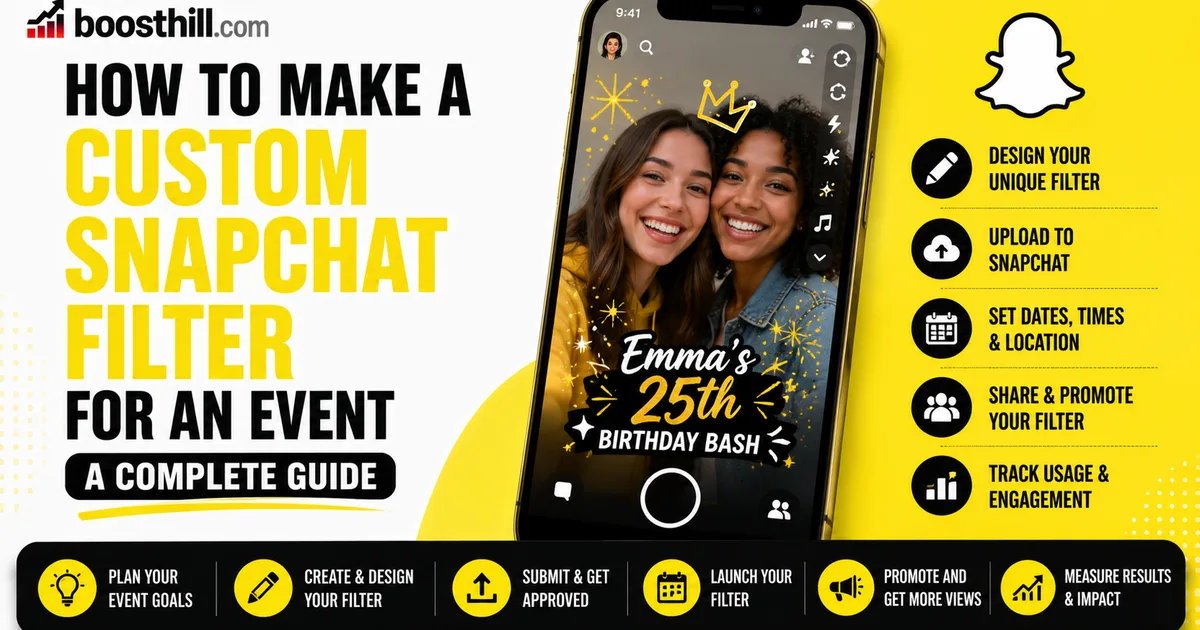
Snapchat calls these on-demand geofilters: overlays you commission that show up only inside a chosen area during a chosen stretch of time. Building one for an event means creating the artwork, tracing the venue's outline onto a map, and picking when it switches on and off. For as long as it runs, anyone standing inside that zone can swipe over and drop your filter onto a snap.
What you pay tends to track two things — how large you draw the area and how many hours the filter stays live — and since Snapchat owns those numbers and revises them, its official tools are where you confirm today's rates and conditions. Expect distinct lanes too: one for personal occasions and another for business or branded work, each with its own requirements.
- It is an overlay pinned to one location and one window of time
- You outline the venue's boundary directly on a map
- You decide the hours it turns on and off
- The price generally rises with a bigger area or a longer run
Design Artwork That Clears the Rules
The best filters read instantly, match the occasion, and stay out of the way. Push the key elements up to the top edge or down to the bottom so your design borders the shot instead of hiding the people in it, and keep the background transparent so whatever they capture still comes through. A name, a date, a logo, or a hashtag for the event all tend to work well.
Snapchat spells out its own rules for design and content — accepted file type, transparency, dimensions, and a list of what is off-limits, such as phone numbers, web links, or hateful imagery. Sticking to them is usually what separates a quick yes from a bounce-back. Work in whatever software you prefer, or begin with one of Snapchat's templates, and then save the file in the format it asks for.
- Save the file as a transparent PNG so the image behind it stays visible
- Hold your artwork to the edges and clear of people's faces
- Include the event's name and date, plus a logo or hashtag
- Match Snapchat's rules on dimensions, file type, and content
- Skip anything banned, from web links to phone numbers
Upload It, Fence the Venue, Set the Hours
With the design finished, send it up through Snapchat's official creation tools. Setting the geofence comes next: sketch the perimeter around your location on a map, and keep that outline snug — enough to blanket the event, but not so wide that you waste coverage on empty streets, since the size shapes both how relevant the filter feels and what it costs.
After that, choose the stretch of time it stays live. Pad both ends — a little before the doors open and a little after things wind down — so early arrivals and late lingerers both get their turn, and confirm the time zone is right. Send it off for review, cover whatever fee applies, and remember that someone at Snapchat still has to sign off, so leave yourself room instead of racing the deadline.
Clear Review, Then Put It to Work on the Day
Every submission gets checked against Snapchat's guidelines, and that review is exactly why a few days of margin matters — if something needs fixing, you can correct it and send it back well before guests arrive. The steadiest route to an easy pass is simply a tidy design that respects the rules from the start.
When the day comes, make sure people know the filter is there. A little placard by the door, a line on the invite, or a word from the host is usually enough to prompt a swipe and a post. Pairing it with a shared hashtag also makes it far easier to track down and gather everyone's snaps once the event wraps.
- Send it in a few days ahead so review has time to run
- If it comes back rejected, patch it and resubmit without delay
- Let your guests know the filter is ready to use
- Tie the filter to a shared event hashtag
For Brands — Back the Filter With a Real Presence
If you run a business, the filter doubles as a branding moment — each guest who swipes it puts your name in front of their own circle. To get real value from that exposure, the account behind the filter should look settled and legitimate when a curious guest taps through to find you.
When you want that first impression to land a little firmer, Social WOW supplies Snapchat followers from genuine, active accounts, working only from your public profile — no password to hand over, and a refill guarantee behind it. It runs separately from Snapchat and makes no promises about how many people swipe your filter or engage with it; treat it as social proof beside a sharp design and a live presence, never a stand-in for either.