Spend a few minutes on YouTube and the handles are hard to miss — that short @name printed beneath videos, across channel pages, inside Shorts, and in the search field. It is your channel's own lowercase username, unique to you, and it has quietly turned into the primary way viewers locate, tag, and link back to a channel. A well-chosen one makes you simpler to find and simpler to pass along, so it deserves a moment of thought rather than the string YouTube handed you at sign-up.
Below, we unpack what a handle really is, where it parts ways with your channel name, and how to land on one that suits your brand. From there we run through the process of switching it, spell out the limits YouTube sets, and consider the part social proof plays once visitors actually reach your page.
Handle versus channel name: what each one does
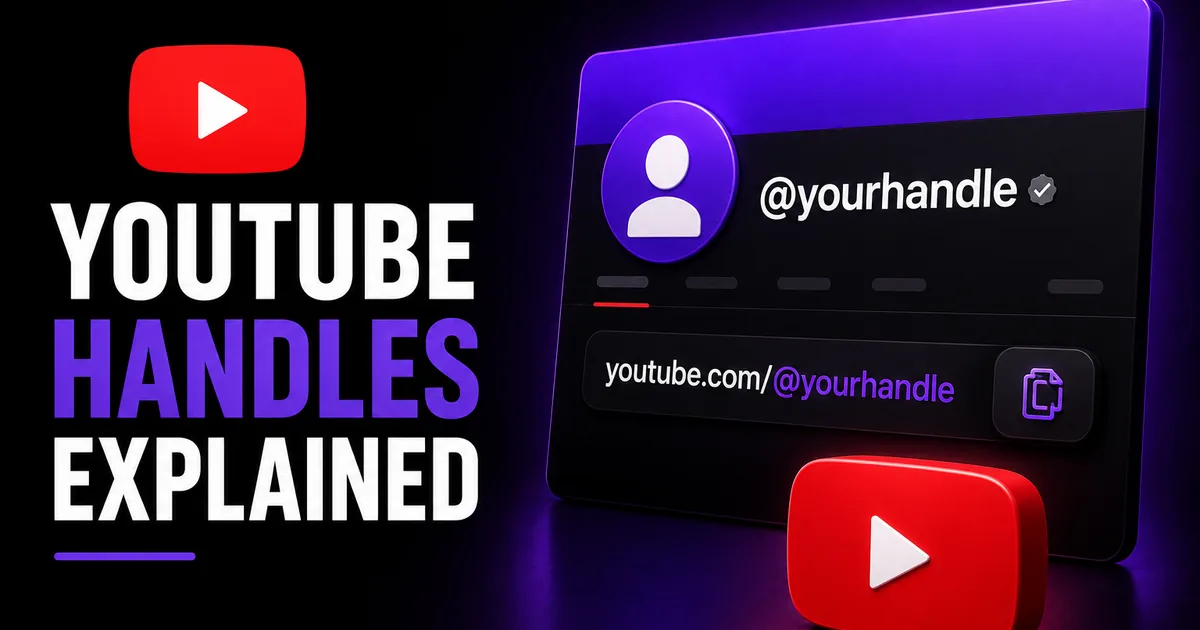
Think of the handle as the one-of-a-kind @username attached to your channel — something like @yourbrand. It stays lowercase, holds no spaces, and belongs to a single channel and no other. That uniqueness is what lets it work as a tidy link you can hand out: type youtube.com/@yourbrand and it lands on you. You will spot handles beneath videos, on the channel page itself, in comment threads, throughout Shorts, and anywhere someone tags you.
The channel name plays a separate role. It is the readable display name, free to carry spaces and capital letters, and nothing stops two channels from sharing it. You could run under the name "Backcountry Coffee Co." while your handle stays @backcountrycoffee. A handy way to keep them straight: the name is your branding, and the handle is your address. One is the face you present; the other is the route people take to find and mention you.
Either can be edited, and updating one leaves the other exactly as it was. The freedom is handy, though it cuts both ways: a careless handle can linger long after the channel name has been cleaned up, which is reason enough to bring the two into line.
- Handle: a one-of-a-kind, lowercase @username that carries your links and tags
- Channel name: the display name you show, which other channels may also use
- Your handle is baked into the URL, youtube.com/@yourhandle
- Each of the two can be updated on its own
Picking a handle that holds up
The handles that last tend to be brief, easy to recall, and plainly linked to your brand. More often than not, the best option is simply your brand or creator name and nothing bolted on — @yourbrand wins out over @yourbrand_official_yt without much debate. You want something a viewer can catch on first listen, enter from memory, and know again wherever they run into you.
Staying consistent from one network to the next makes you easier to track down. Where you can line your handle up with the username you already hold on Instagram, TikTok, or X, take the chance — one handle people recognize everywhere turns cross-promotion into far less work. Resist padding it with numbers, underscores, or filler unless your real name is already claimed and no tidier option exists.
- Keep it brief and simple to say aloud
- Line it up with your channel name and your handles elsewhere where possible
- Leave out stray numbers, underscores, and add-ons such as "official" or "tv"
- Confirm it looks right inside a URL, youtube.com/@yourhandle
- Choose one that still works if your content broadens past a single topic
Changing your handle, one step at a time
Swapping your handle is roughly a one-minute job. You can make the change from the account settings page or straight inside YouTube Studio, and the moment your pick is free, it goes live immediately. When the one you had in mind is already spoken for, you will have to settle on another, because each handle belongs to just one channel.
The usual sequence looks like this. Menus get redesigned now and then, so a label here or there may not match word for word, yet the route stays the same.
- Log in, open YouTube Studio, and head to Customization, then Basic info
- Locate the Handle field — the @ box — and enter the one you want
- Once it reads as free, save what you have changed
- Or go through Settings, then Channel, and adjust the handle from there
- Check that the fresh link resolves by loading youtube.com/@yournewhandle
The rules, and what a switch touches
A handful of conditions apply. A handle generally runs from 3 to 30 characters, may contain letters, numbers, periods, hyphens, and underscores, and is not allowed to resemble a web address or a phone number. It also has to sit within YouTube's community guidelines, which rules out anything built to impersonate or mislead. Details like these are revised from time to time, so read them as where things stand today rather than a fixed rulebook.
Make the switch and your former @link no longer leads anywhere useful, while the replacement steps in. Everywhere you had posted the old one — a profile bio, a description under a video, a printed card — now needs a fresh copy. YouTube also caps how many times you can swap a handle inside a given window, so it pays to land on one you are content to live with.
None of this disturbs your subscriber total, your uploads, or your watch history — a handle change leaves all of it untouched. You are renaming the username and nothing more; the channel itself is not being reset.
Backing a good handle with real social proof
A tidy handle gets your channel found and passed around, yet the instant a first-time viewer lands, they size you up in a heartbeat from what is in front of them — your name, your handle, the number of subscribers. Between two channels running the very same videos, the one that reads as established will usually win the subscribe over the one that looks freshly opened.
This is the point where a lift in subscribers can help around the edges. Social WOW sends YouTube subscribers from genuine, active accounts off nothing more than your public channel link — no password, and a refill guarantee behind every order. It makes no promises about views, watch time, or monetization, and none of it replaces a steady upload habit, but it can firm up the social proof that a sharp handle points people toward.